Not yet signed up? Check Getting started with KloudShip.
Step 01: Log in to KloudShip ECS
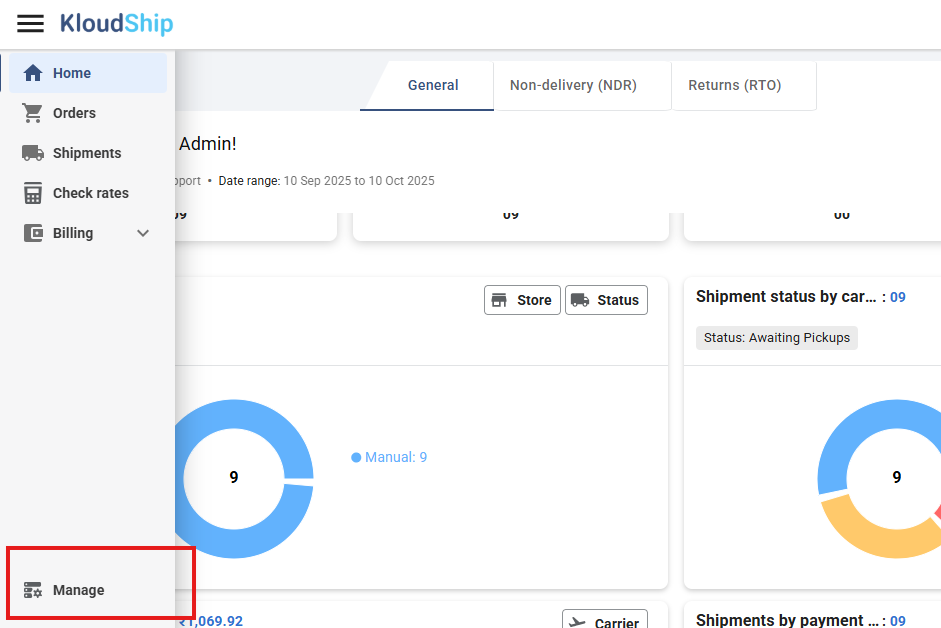
Step 02: Navigate to manage
- From the side menu, navigate to Manage.
Step 03: Get your API Key and Secret
- Navigate to the Integration tab and select the API Access card
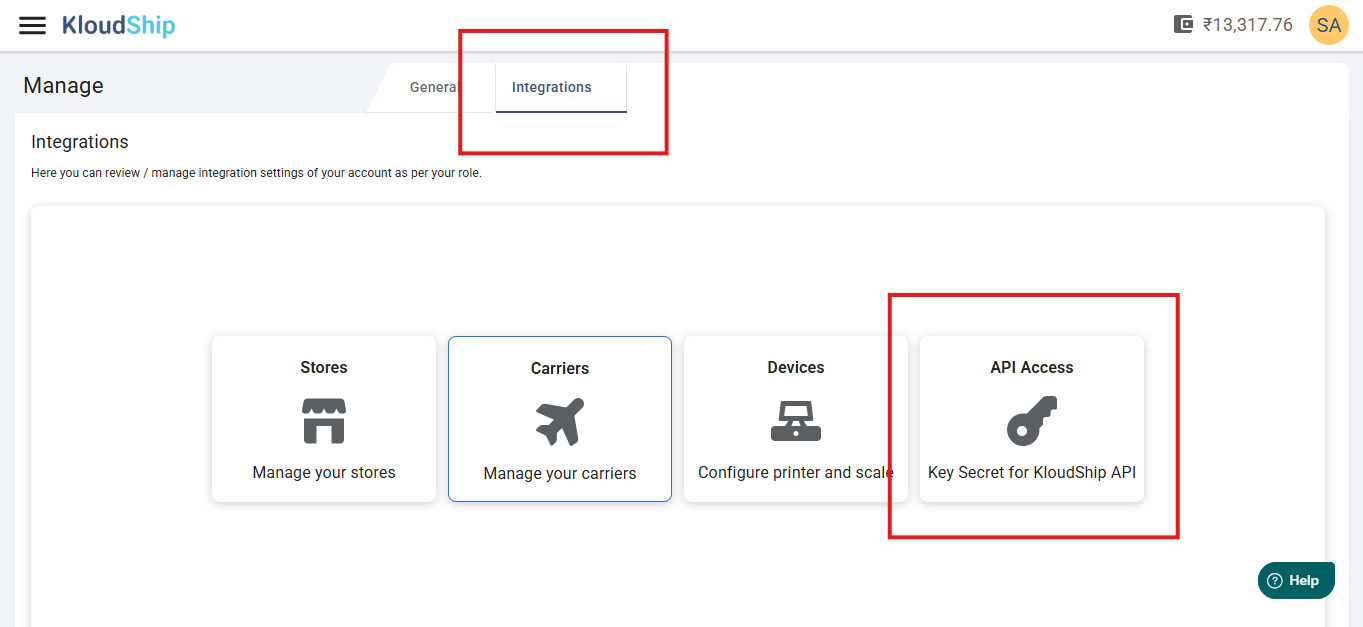
- Now you can copy your API key and secret

You can Regenerate your API key and Secret key using button Regenerate credentials
Next Steps
- Generate your Access Token: To start using Carrier Shipping APIs, you should first generate your token using the API Key and Secret accessed above.
Was this article helpful?
That’s Great!
Thank you for your feedback
Sorry! We couldn't be helpful
Thank you for your feedback
Feedback sent
We appreciate your effort and will try to fix the article