B2B (business-to-business) shipments involve the transportation of goods in bulk from one business to another, such as from a manufacturer to a retailer, rather than directly to an individual customer.
How can we create B2B shipments through KloudShip?
Log in to https://ecslite.kloudship.com/ and follow below steps to create your B2B shipments.
Step 01: Create new order
- Click on Orders from side menu.
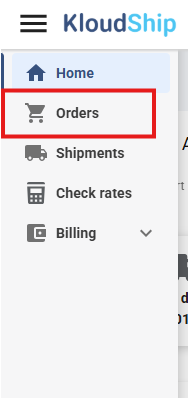
- Now you can create new order by clicking on Add order button.

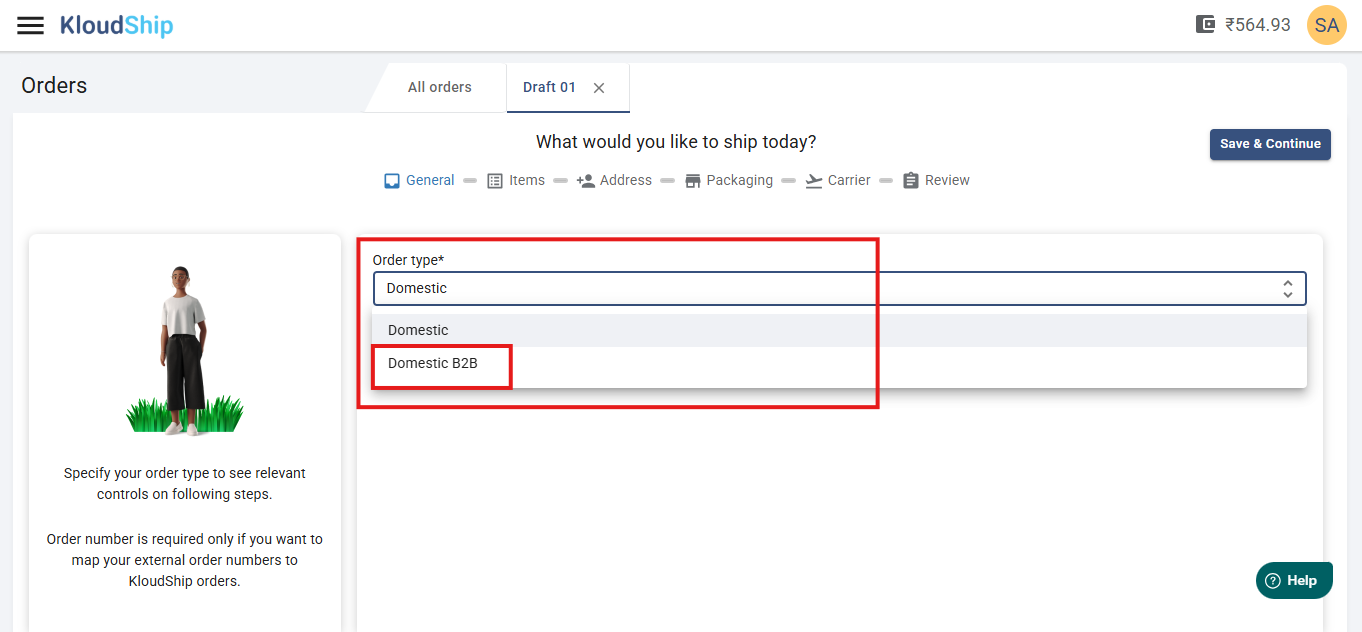
- To create B2B shipments select Order type as Domestic B2B, then click on Save & Continue.
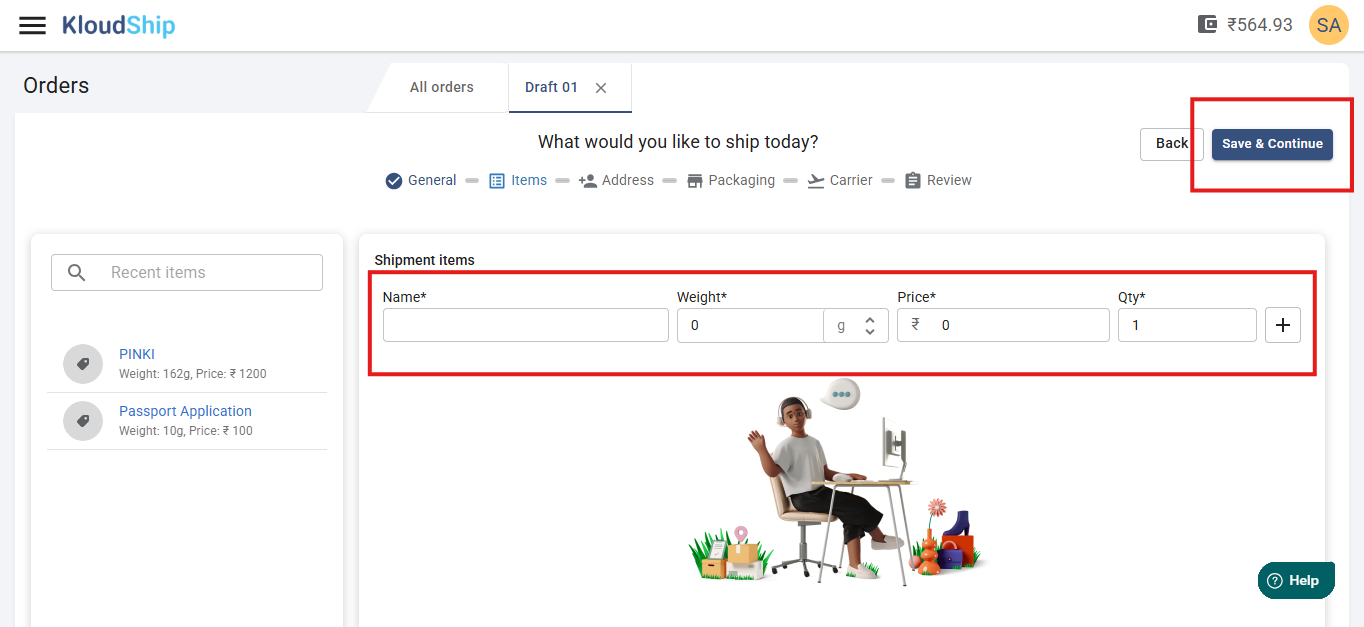
- Add items which you want to ship.
- Provide Name, Weight, Price and Quantity of items and click on (+) icon to add your item.
- If you have already created shipments then you can select recent items from left card
- Click on Save & Continue.
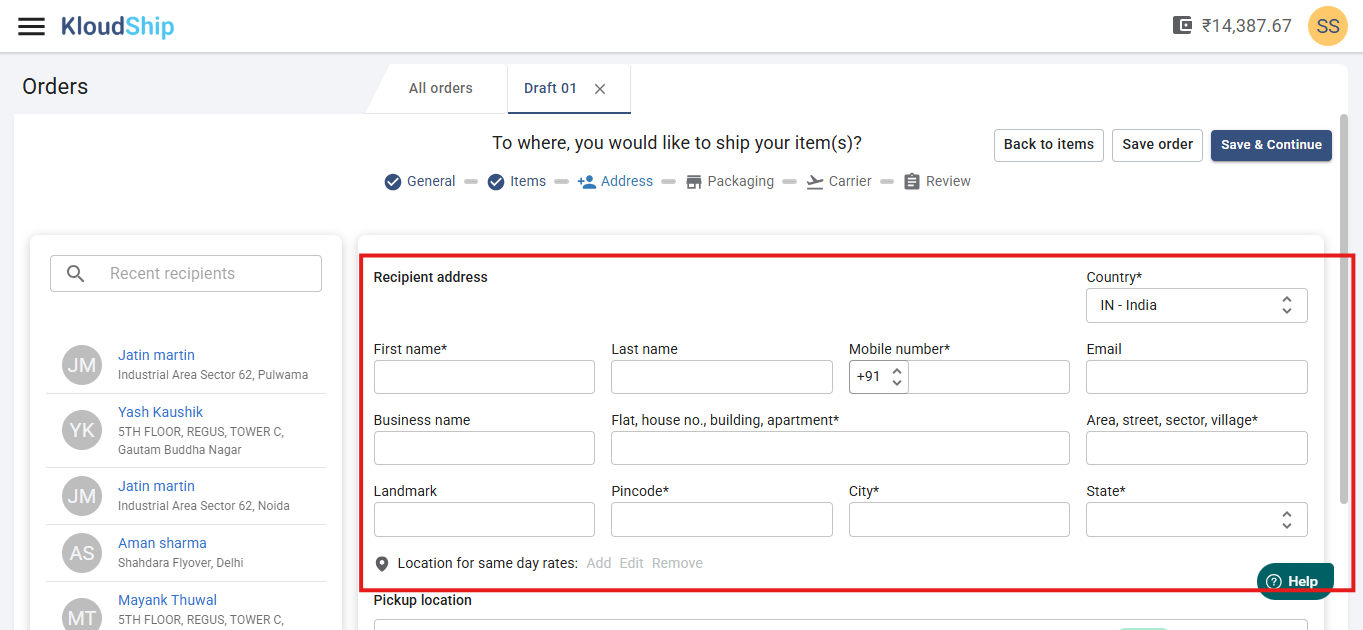
- Provide Recipient address details.
- You can also select recipient from your recent shipments from left card.
- Click on Save & Continue.
Step 02: Add package details
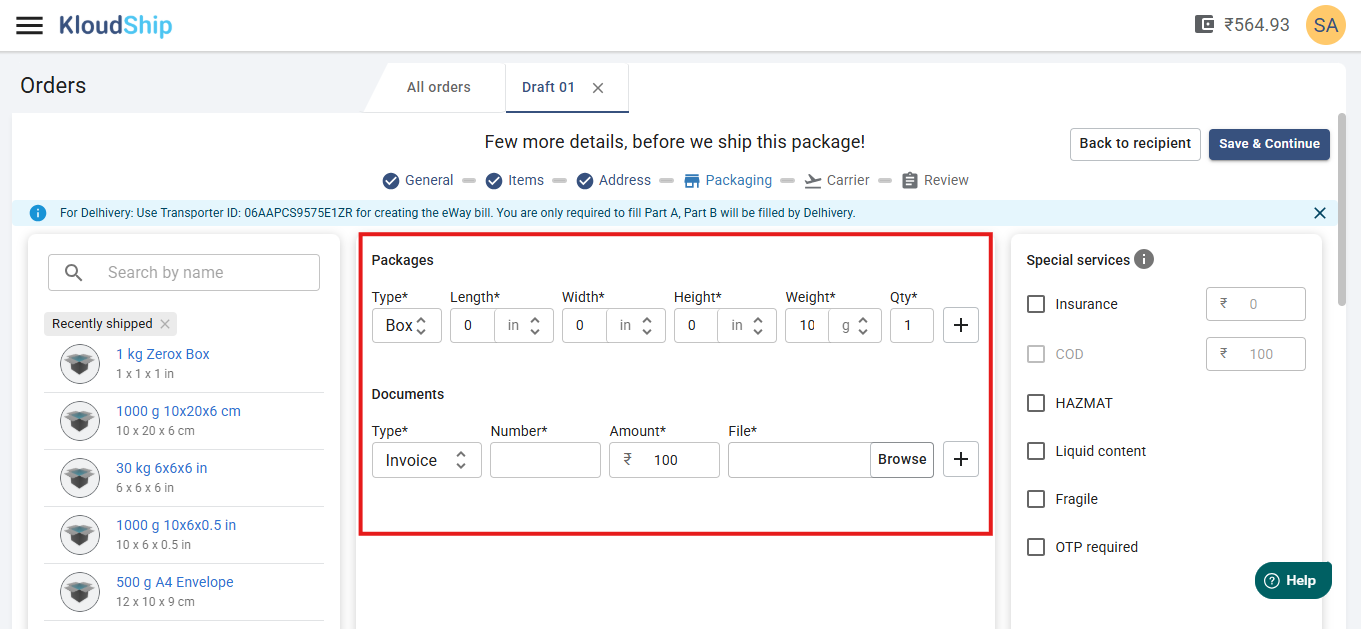
- Now provide your package details, invoice
- You can select your recent packages from left card.
- Click on Save & Continue.
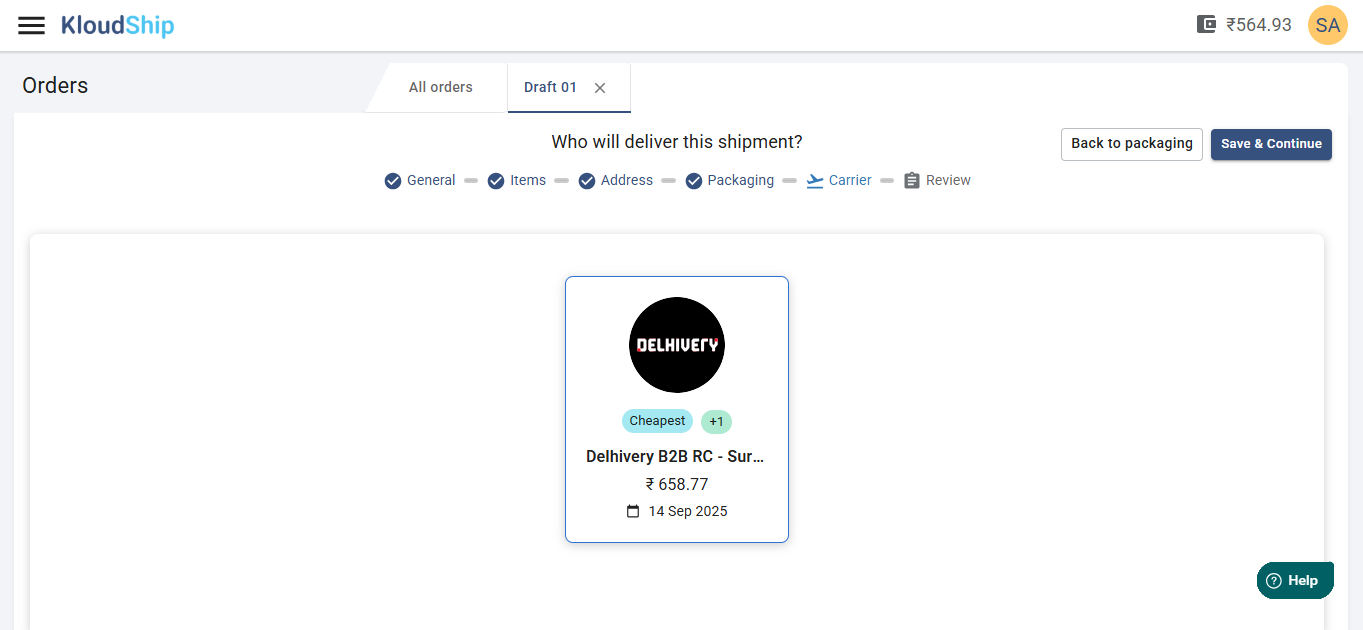
- Now you will get B2B rates for your package, select carrier and click on Save & Continue.
Step 03: Create shipment
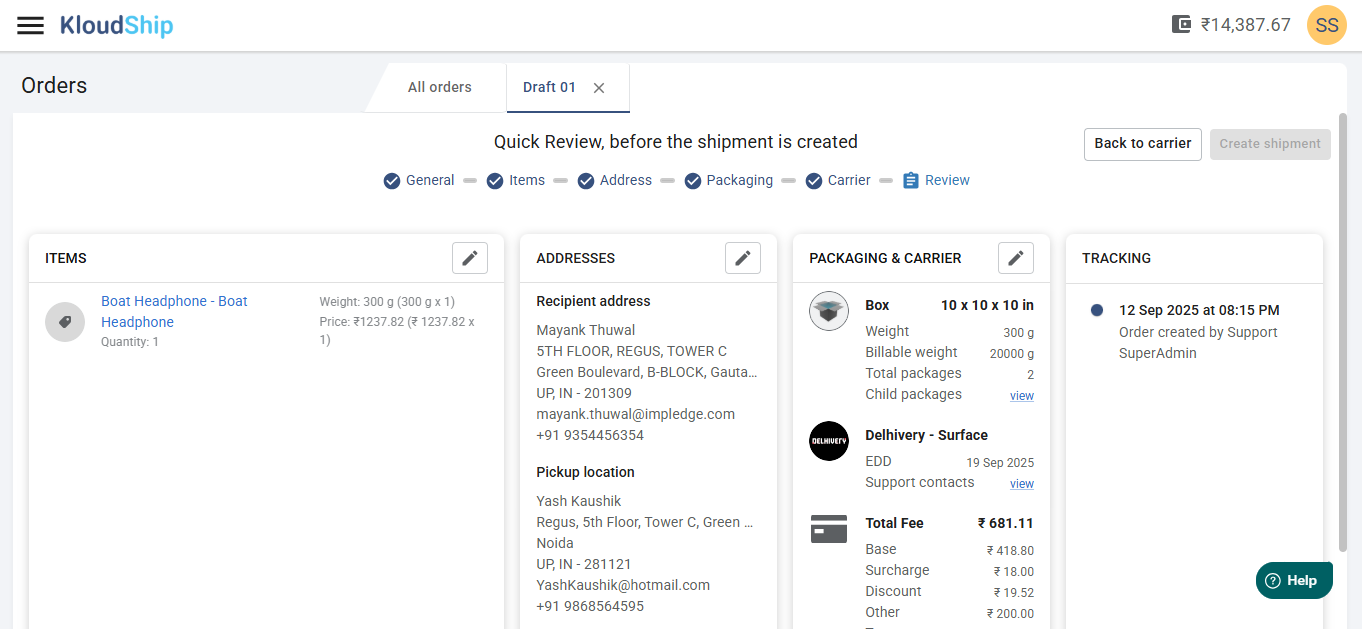
- Now review your details and click on Create shipment.

- Now your B2B shipment is created and you label will be generated after few seconds.
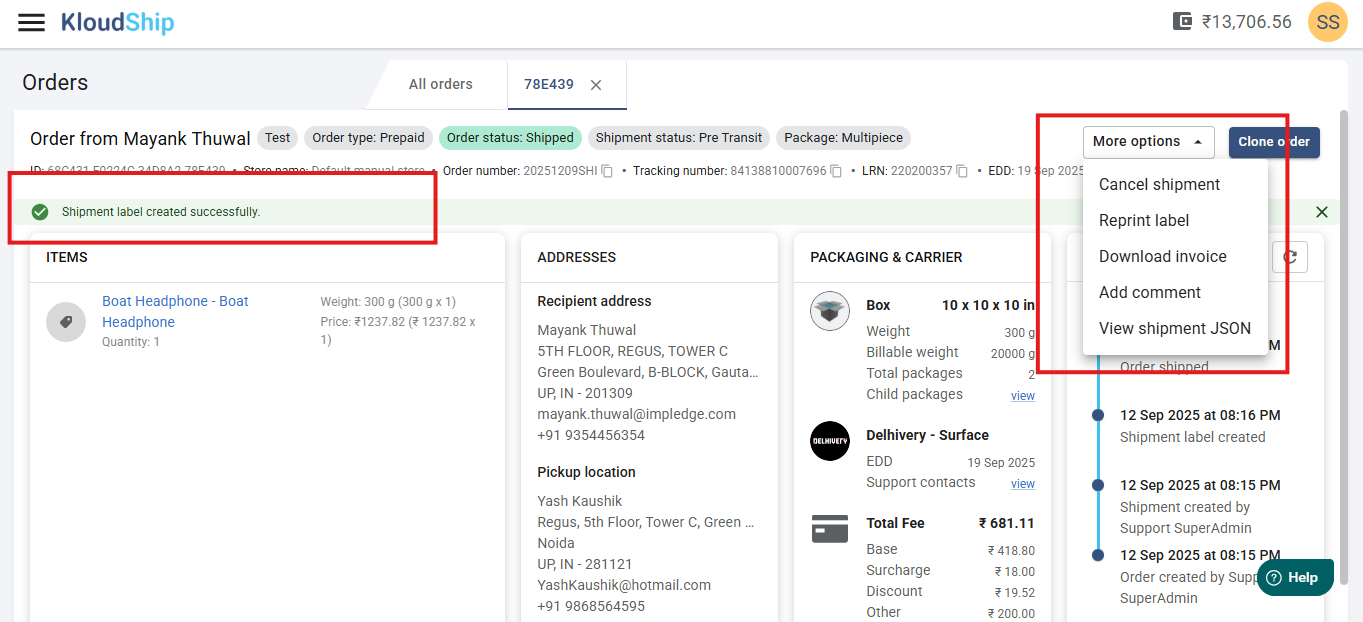
- Now click on More options > Request label to generate label.
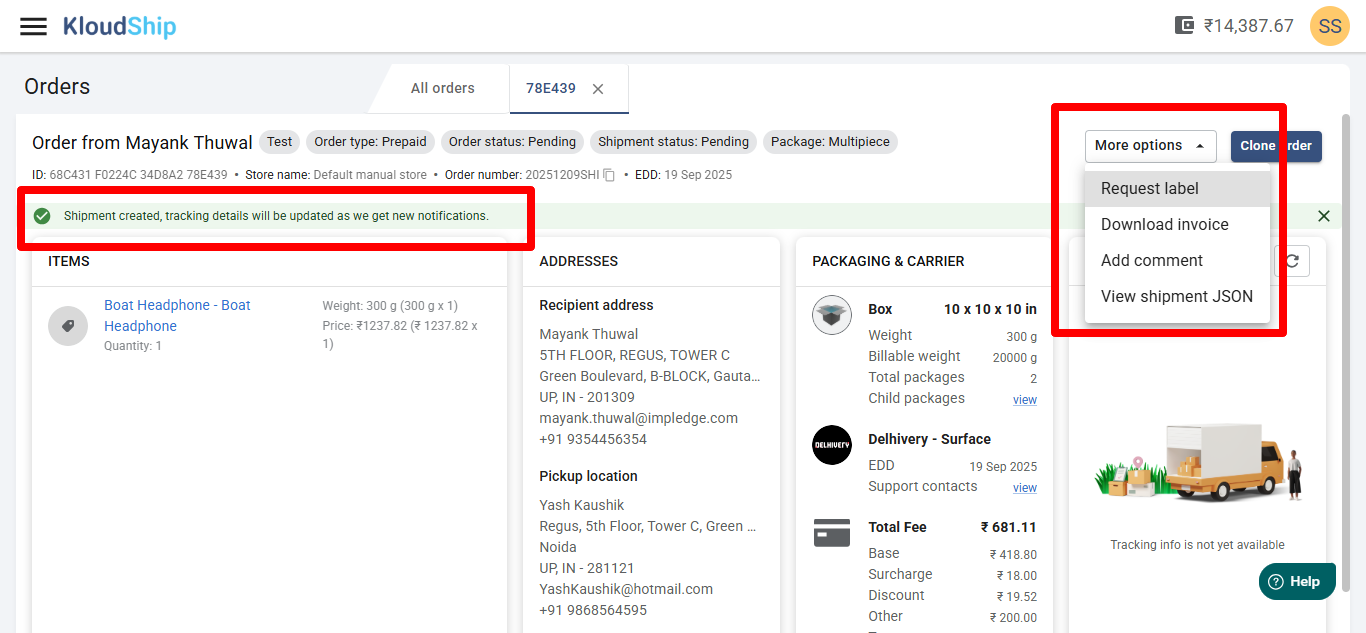
Now your label is generated, again click on More Options > Reprint label to print your label.

Not Yet Signed Up?
Was this article helpful?
That’s Great!
Thank you for your feedback
Sorry! We couldn't be helpful
Thank you for your feedback
Feedback sent
We appreciate your effort and will try to fix the article