You can manage your carriers with following steps
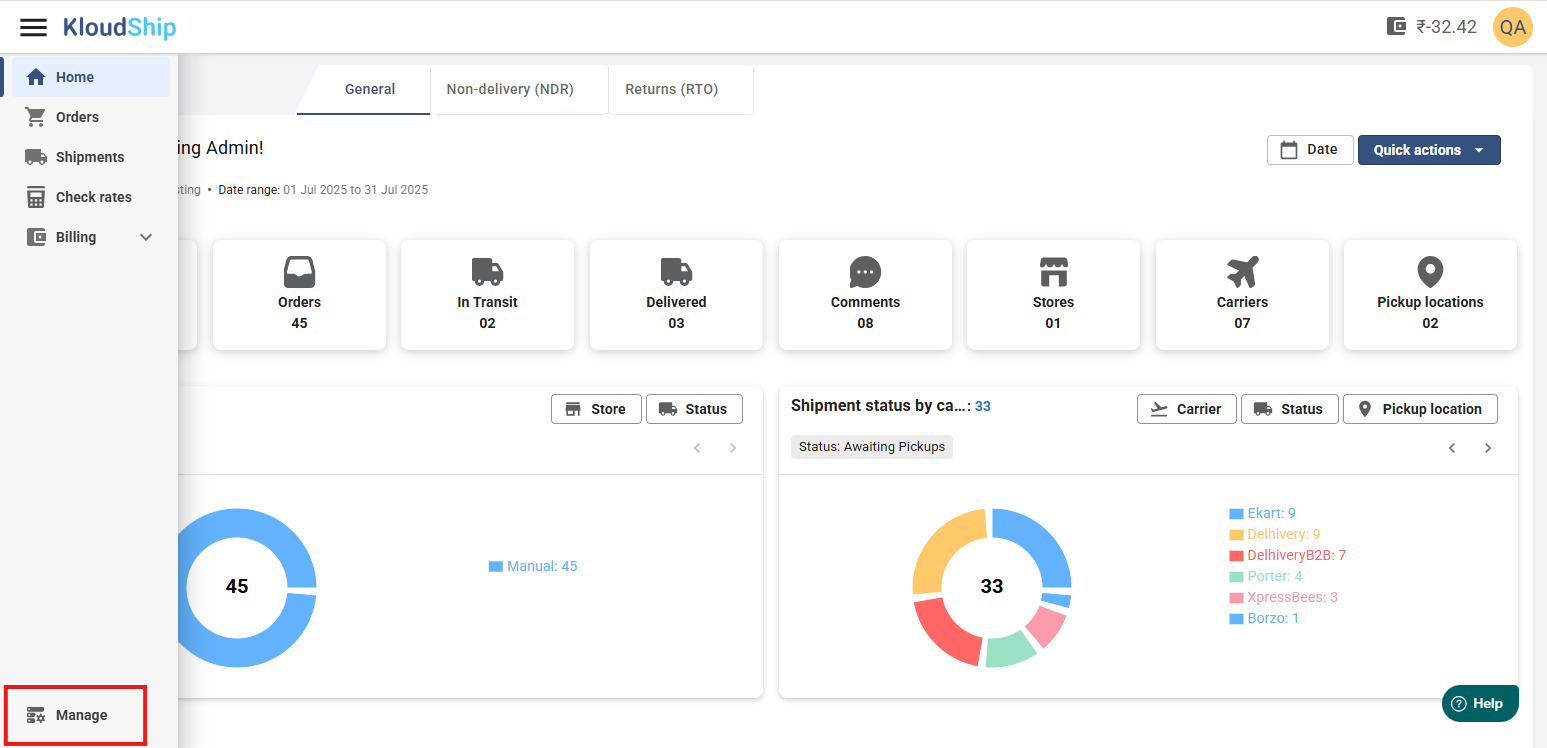
Step 01: Go to Manage from hamburger menu on top left
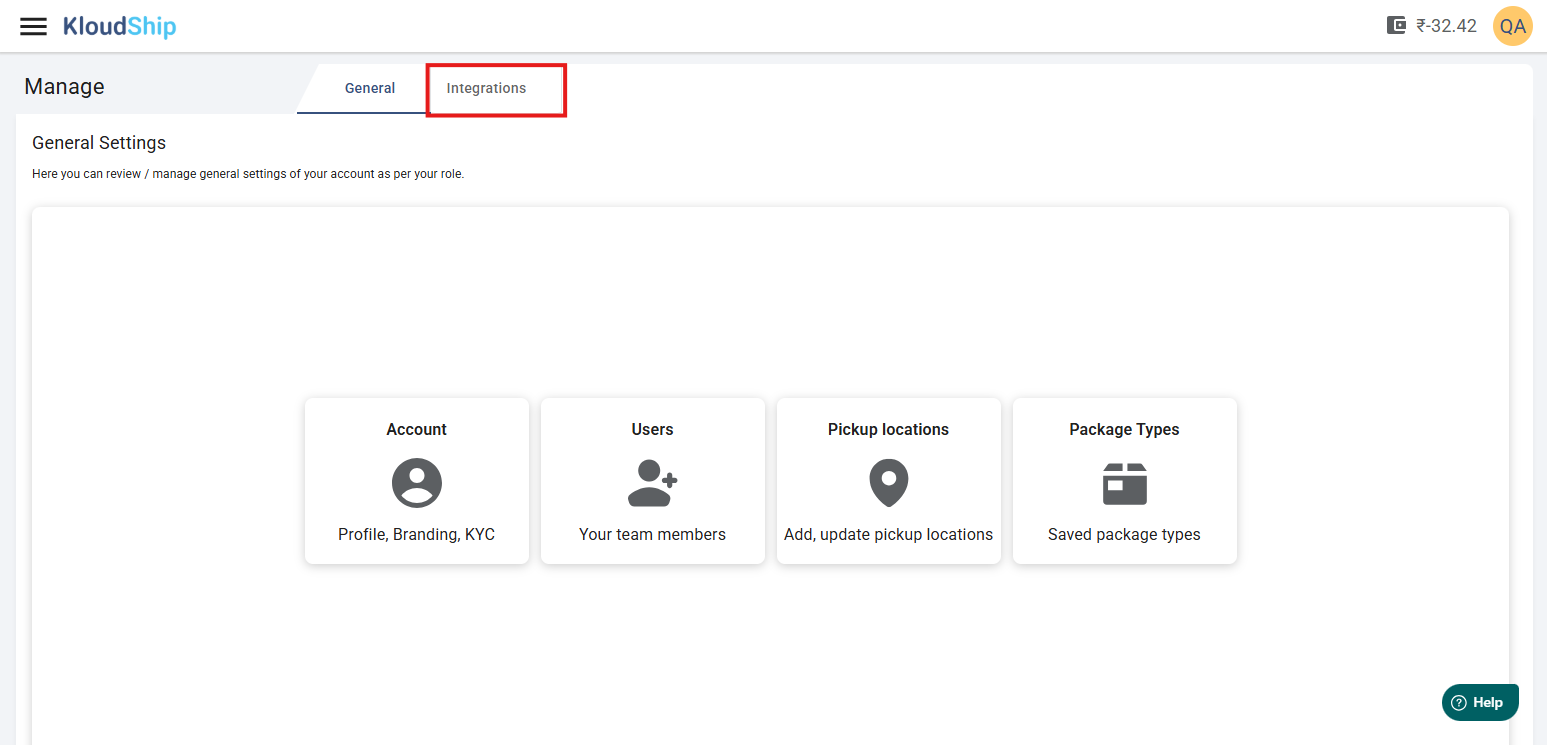
Step 02: Open the Integrations tab
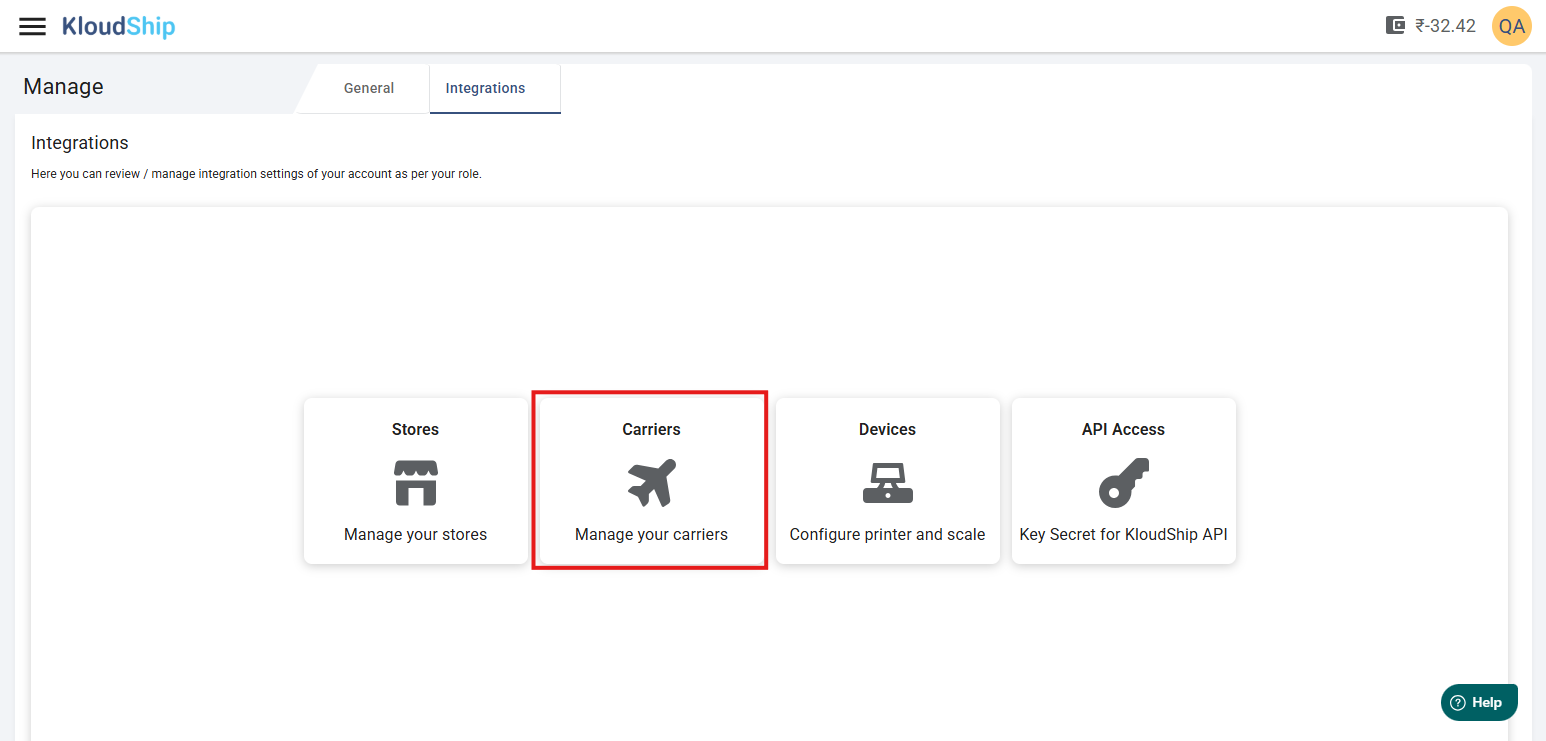
Step 03: Click on the Carriers card
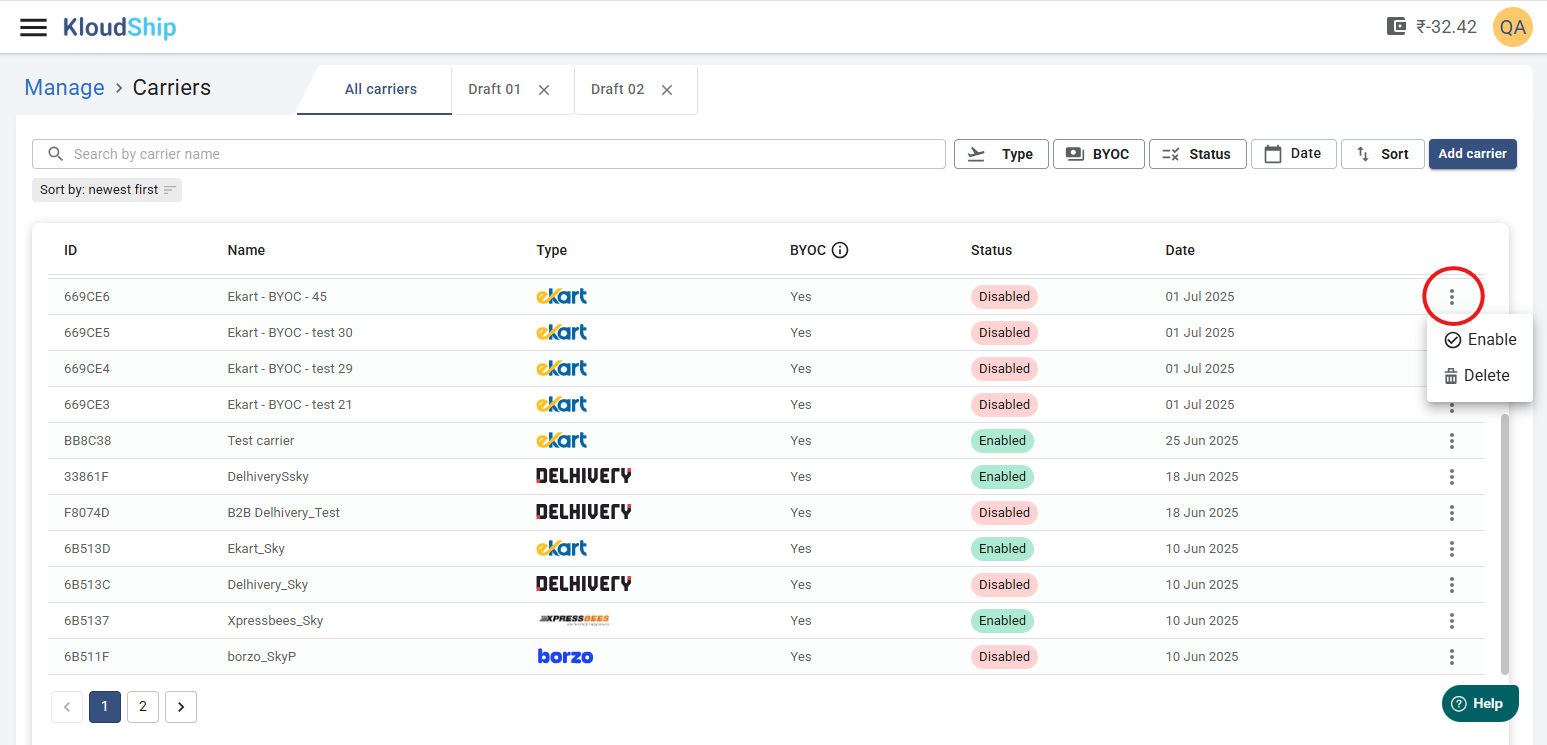
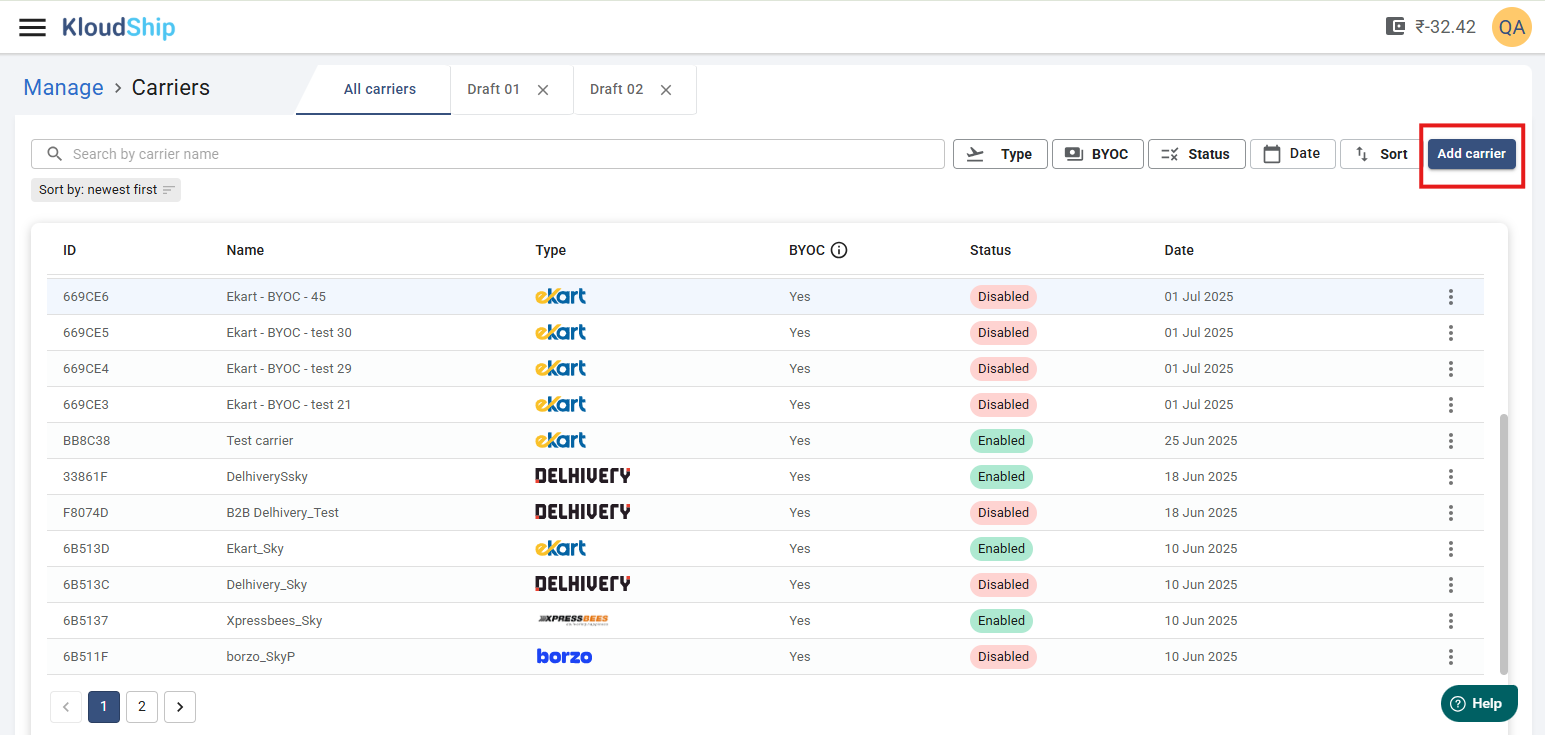
Step 05: Review existing Carriers
From this view you can do several things:
- You can click on any row to review / edit carrier details
- You can enable/Disable or delete the carrier by clicking on the three vertical dots ( ⋮ )
Step 06: Add Carrier
What's Next
- Add Delhivery in ECS: You can add your existing Delhivery account to KloudShip.
- Add Ekart in ECS: You will be able to add you Ekart carrier in ECS.
Not Yet Signed Up?
Was this article helpful?
That’s Great!
Thank you for your feedback
Sorry! We couldn't be helpful
Thank you for your feedback
Feedback sent
We appreciate your effort and will try to fix the article